
Lucky Vibe does not link to an App Store or Google Play listing anywhere in its footer, help pages or rules; the casino runs in mobile browsers on iPhone and Android, and the side menu has a Download App item. The mobile site carries the full lobby, the cashier with Interac and crypto, the A$5,000 + 300 FS welcome package, live tables and 24/7 chat. A home-screen shortcut gives one-tap access without any store download. Availability, payment methods and account eligibility are confirmed during registration under the operator's current Terms and applicable local requirements. Players should review the latest cashier entries, verification prompts and bonus conditions shown inside their account before depositing or claiming an offer.
- Open the casino site
- Add to home screen
- Sign in and play
01 Opening Lucky Vibe on iOS and Android
Both systems use the same web casino, so an account opened on one device works on all of them. The only difference is how the shortcut is added to the home screen, and both take under a minute on a current phone.
iOS
On iPhone and iPad, Safari gives the cleanest result. Four steps:
- Open Safari and type the casino's address.
- Sign in or press SIGN UP to open an account.
- Tap the Share icon, then "Add to Home Screen".
- Name the shortcut and tap Add; it opens the casino in one tap.
Android
On Android, Chrome works the same way. Four steps:
- Open Chrome and type the casino's address.
- Sign in or register.
- Open the three-dot menu and choose "Add to Home screen" or "Install app", or use the Download App item in the casino menu.
- Confirm; the icon appears with the other apps.
Avoid APK files offered on other websites under the Lucky Vibe name. They are not distributed by the casino, can carry malware and may capture login details; any download should start from luckyvibeaus.org.
02 Features on mobile
The mobile site is the same platform as the desktop site, with a collapsible side menu instead of the fixed one. Five features players use most:
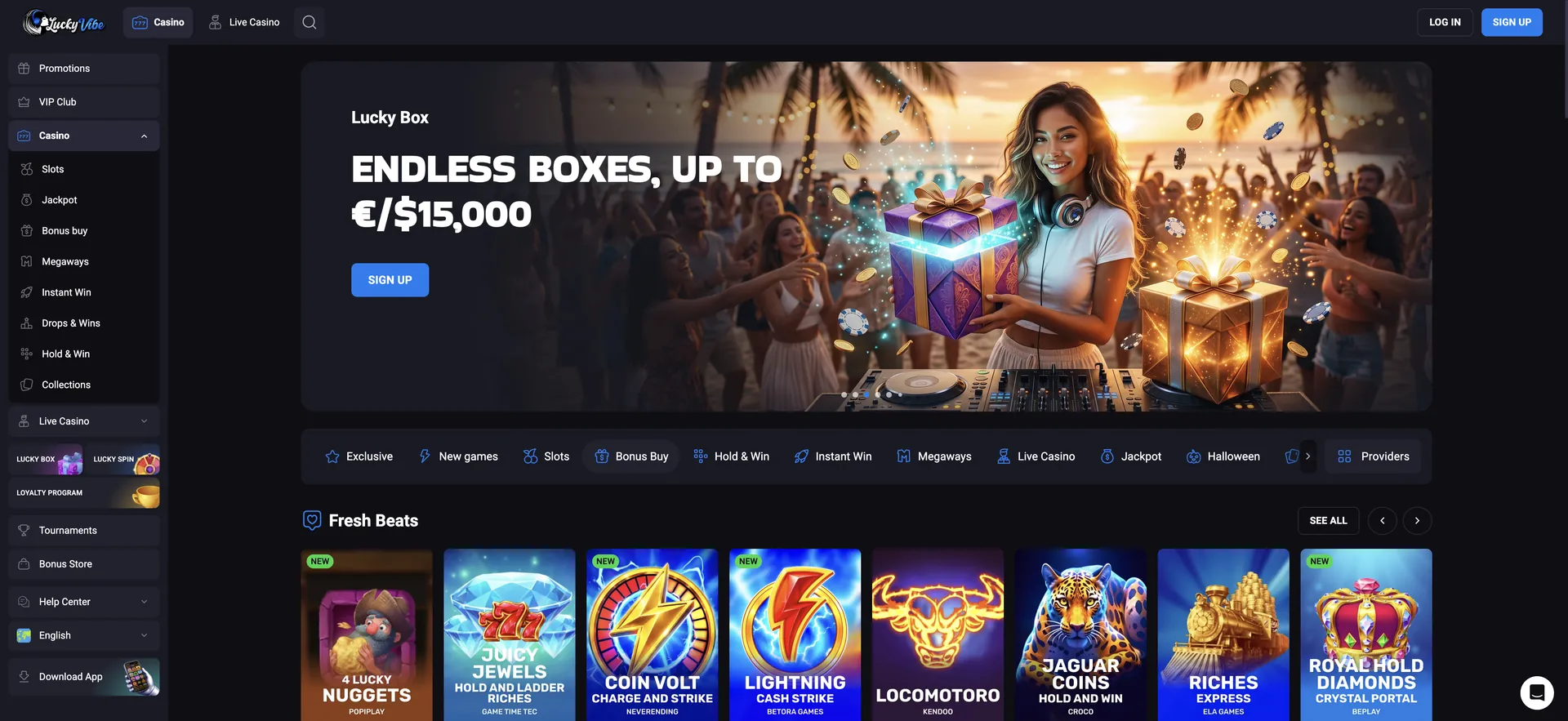
- Lobby: slots, Bonus Buy, Megaways, Hold & Win, Instant Win, Jackpot and Collections, with DEMO mode.
- Live casino: roulette, blackjack, baccarat and poker tables in portrait or landscape.
- Cashier: Interac, iDebit, cards, MuchBetter and crypto from A$30, plus withdrawals.
- Promotions: codes VIBE2-VIBE4, weekday reloads, the Walrus Wheel, Lucky Spin and Lucky Box.
- Account tools: Documents upload from the phone camera, deposit and session limits, 24/7 chat.
Uploading KYC documents is often easier on a phone than on a computer: a photo of the ID and a utility bill can go straight to the Documents tab, as long as each file stays under 2 MB. The chat icon in the bottom-right corner stays available on every page, including inside the cashier, which helps when a deposit needs checking.
03 Mobile browser vs app
With no store listing published, the real choice is between the browser and a home-screen shortcut. The table compares browser play with a store app.
| Feature | Mobile browser / shortcut | Native store app |
|---|---|---|
| Availability | Yes, iOS and Android | No store link published by the casino |
| Installation | None, or a home-screen icon | - |
| Storage used | Browser cache only | - |
| Games and live tables | Full catalogue | - |
| Cashier and bonuses | Same as desktop | - |
| Updates | Automatic on page load | - |
Browser play also means the same login and the same limits on every device, and no updates to install. The trade-off is that there are no push notifications from a store app, so promotions and tournament results are checked on the Promotions and Tournaments pages or by email.
Mobile data use depends mostly on the game type. Slots load once and then use little data per spin, while live dealer tables stream video for the whole session, so Wi-Fi is the better choice for long live sessions. Older phones may run heavy slots more slowly in the browser; closing other tabs and clearing the cache usually helps, and the casino FAQ suggests the same steps when a game does not start.
FAQ
Questions about the Lucky Vibe app, the mobile site and installing a shortcut on a phone.
Is there a Lucky Vibe app in Google Play or the App Store?
The casino publishes no store link. The menu's Download App item and the browser's home-screen shortcut give app-style access instead.
Is there a Lucky Vibe APK?
The casino does not publish an APK in its rules or on its payment and help pages. APK files on other sites are not from the casino and are best avoided.
Do bonuses work on mobile?
Yes. The welcome package, codes and weekday reloads are claimed in the mobile cashier exactly as on desktop, with the same A$30 minimum and 40x wagering.